
Regular Human Workshop: A Practical Guide to Chaos and Clean Builds
Download Regular Human Workshop for PC
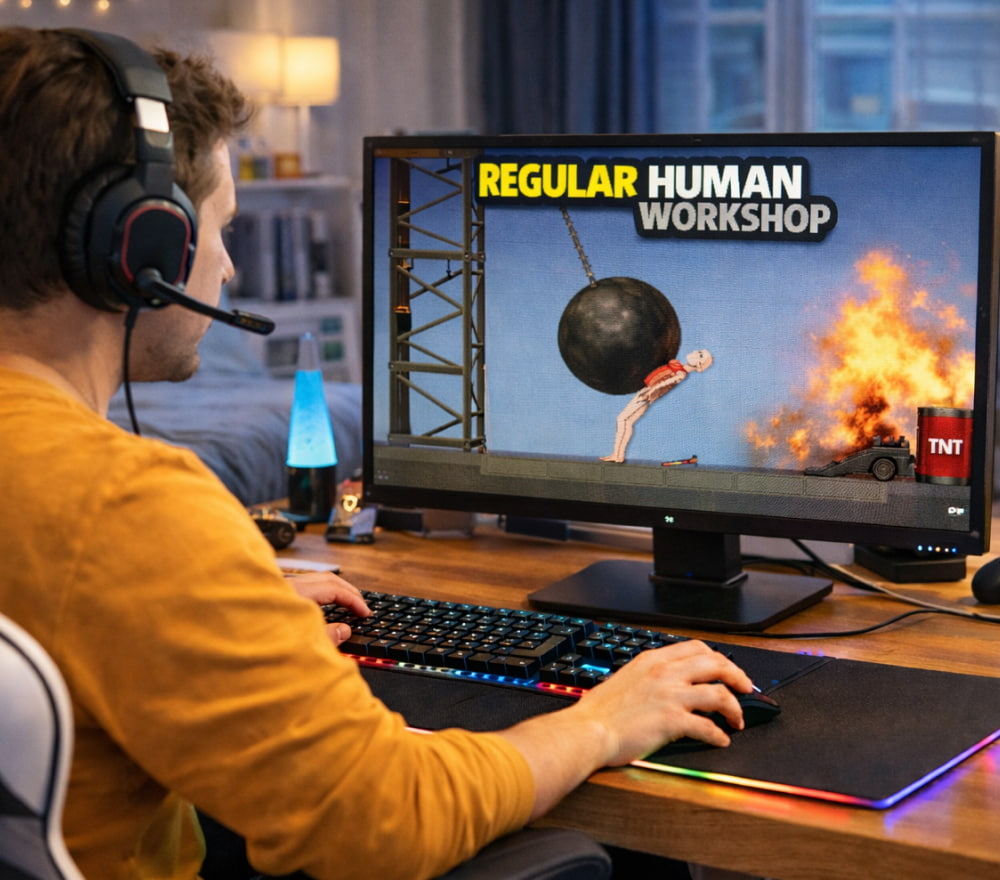
Play NowIf you like games where curiosity matters more than winning, this guide is for you. Regular Human Workshop is best approached as a hands-on physics sandbox: you place objects, test interactions, and iterate until something hilarious or surprisingly elegant emerges. Instead of chasing a single objective, you’ll spend your time experimenting with ragdolls, mechanisms, and improvised “machines” that behave in delightfully unpredictable ways.
To make the most of the experience, it helps to think like a tinkerer. Start small, learn how the tools react, then scale up into bigger scenes whether that’s a test chamber for collisions, a contraption that launches objects across the map, or a dramatic chain reaction that looks like a movie stunt gone wrong.
What You Actually Do in the Sandbox
The core loop is simple: spawn, connect, stress-test, and refine. The fun comes from the physics layer and the freedom to treat every object as a potential building block.
- Experiment with interactions: collide, stack, pin, drag, rotate, and see what breaks first.
- Build scenes: set up “stages” for stunts, puzzles, experiments, or cinematic moments.
- Prototype mechanisms: try levers, anchors, joints, and improvised rigs for movement and control.
- Play with timing: small changes in placement can completely change the outcome.
Tip: Treat every failure like a diagnostic if something collapses, pause and look for the single weak connection that started the domino effect.
Your First 15 Minutes: A Simple Starter Routine
- Spawn a few basic objects and learn how they handle: weight, friction, bounce, and stability.
- Practice clean placement: align items carefully so your later builds don’t drift or “fight” the physics engine.
- Try one controlled experiment: make a ramp, roll an object down, then tweak angles until you can predict the result.
- Introduce complexity: add a movable joint or a constraint and observe how force transfers through the system.
- Save versions often: incremental progress beats rebuilding from scratch after one chaotic accident.
For many players, the Regular Human Workshop game feels like a toolbox of mayhem where you learn by doing, not by reading rules.
Creative Project Ideas That Stay Fun Longer
Once you know the basics, you’ll get more satisfaction by giving yourself “soft goals.” These are projects with a clear direction, but no strict win condition.
- Stunt lab: design a safe-looking setup, then push it until it fails in spectacular fashion.
- Physics theater: build a scene with props and characters, then orchestrate a chain reaction like a short film.
- Contraption challenge: create a device that moves an object from point A to point B using as few parts as possible.
- Stress test arena: compare different structures and see which survives impact, vibration, or uneven loads.
When you treat the game Regular Human Workshop as a creative workshop rather than a scoreboard, you’ll naturally discover deeper mechanics.
Controls, Comfort, and Performance on Windows
A smoother session usually comes down to three things: input comfort, camera control, and sensible graphics settings. If you ever feel like the physics is “too chaotic,” it’s often because your setup makes precise placement harder than it needs to be.
On most systems, the Regular Human Workshop game on PC becomes more enjoyable after you adjust mouse sensitivity and camera speed to match how delicate your builds are.
| Adjustment | Why it helps | Quick suggestion |
|---|---|---|
| Camera speed | Prevents overshooting when aligning parts | Lower it for detail work, raise it for big scenes |
| Mouse sensitivity | Improves precise dragging and rotation | Tune until small wrist movements feel “safe” |
| Fullscreen vs windowed | Reduces distractions and accidental focus changes | Use fullscreen for long sessions |
| V-sync / frame pacing | Can make motion feel steadier | Turn on if you notice tearing during fast camera moves |
From Solo Experiments to Community Fun
If you like learning by example, community content can accelerate your progress. Seeing how other players solve the same “build problem” is a shortcut to better structure, cleaner connections, and more controlled chaos. With a bit of sharing and browsing, the Regular Human Workshop game online side becomes a steady stream of inspiration for new scenes and experiments.
- Browse builds: look for compact designs first, because they’re easier to understand and recreate.
- Remix responsibly: take one idea (a hinge trick, a stabilizer pattern) and apply it to your own project.
- Document your iterations: screenshots of “v1, v2, v3” make it easier to spot what improved.
Over time, the Regular Human Workshop online game community feels like a collaborative notebook where everyone trades clever solutions and chaotic experiments.
Downloading, Installing, and Keeping Things Clean
In general, stick to reputable storefronts and avoid suspicious bundles or unofficial installers. Sandboxes are best when you trust your files and can focus on creativity instead of troubleshooting.
It’s smarter to plan where you’ll store saves and creations before you download Regular Human Workshop game for PC, especially if you like maintaining multiple build folders.
Mini FAQ
-
Is there a “right” way to play?
-
No, set a small goal (a stunt, a mechanism, a scene) and let experimentation lead you.
-
How do I avoid messy, unstable builds?
-
Use fewer parts, keep your center of mass low, and test one change at a time.
-
What keeps it interesting after the first few hours?
- Self-imposed challenges: smaller builds, cleaner mechanics, themed scenes, or recreating real-world contraptions.
However you approach it, the best moments come from the mix of intention and surprise when your plan almost works, and the physics adds a twist you didn’t expect.